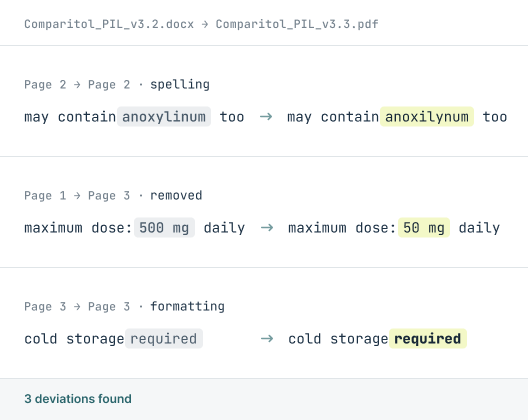
MODULE / TEXT COMPARE

Does it read right?

Text Compare checks every word, number, and symbol against the approved source, flagging only what changed. No manual proofing, no missed edits, no noise.
SUPPORTED FORMATS:
BMP
PDF
Microsoft Word
XML
Microsoft Excel
Email
Plain Text
RTF
HTML
Adobe Illustrator
RTL Scripts
URL
PNG
JPG
How Text Compare Works

The comparison process step by step

Four steps from upload to signed report.

01
Upload
02
Compare
03
Review
04
Approve

Upload your files & settings

Drop in source and target documents (PDF, Word, Excel, even a web URL). Choose word- or character-level comparison and whether to check attributes like bold, italic, font and size.
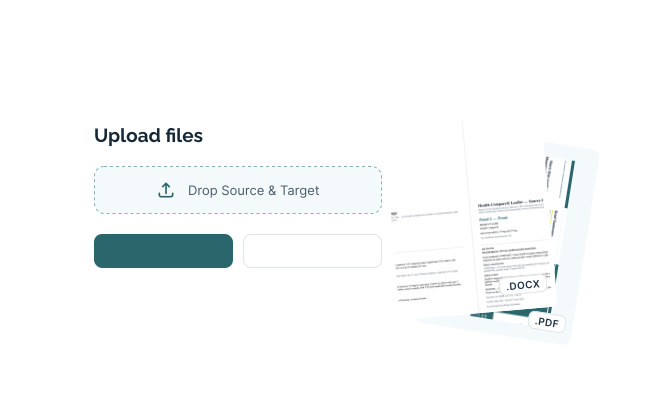
Supports PDF, Word (.docx), Excel (.xlsx), Illustrator (.ai), XML, plain text, RTF, and HTML. Compare several source files against one target in a single run.

Select what to compare

Apply a saved selection template or frame the exact areas by hand. Built-in OCR reads outlined or screenshot text where there's no live text to extract.
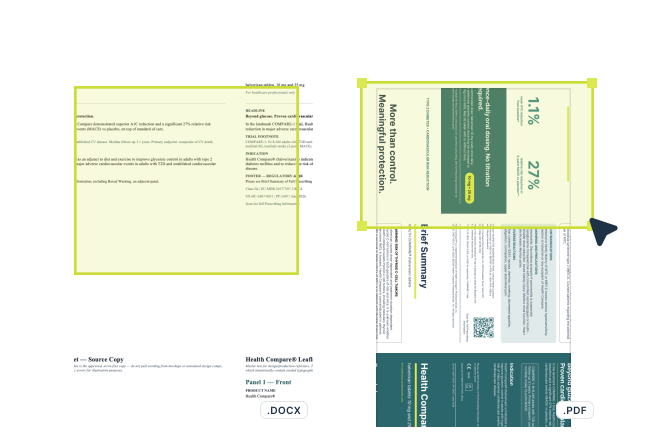
Saved templates apply to recurring layouts in one click, so nothing gets framed differently from one review to the next.

Review every deviation

Differences appear in a side-by-side list — additions, deletions, moved blocks and attribute changes — each given a unique number and linked back to its location.
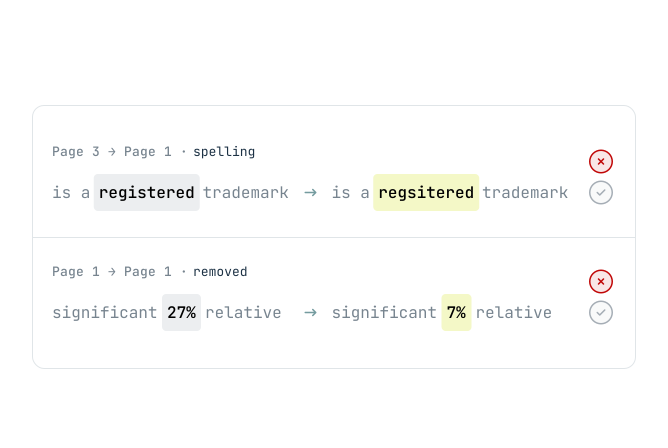
The list shows deviations only, not everything scanned, so there's no false-positive noise to clear before you can trust what's flagged.

Sign & store the report

Add deviation notes, sign electronically, and store the report with a complete audit trail in the validated database.
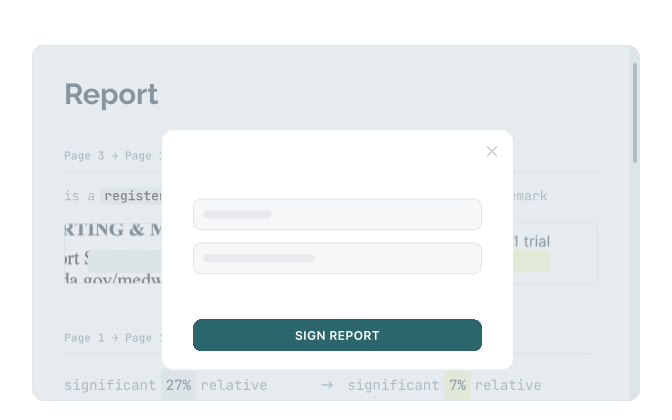
Every signature and stored report meets 21 CFR Part 11, so the record stands up to inspection.
THERE'S A BETTER WAY

See how it should work? Meet Content Compare.

Capabilities

What Text Compare catches

Every character checked
Words, numbers, and punctuation compared against the approved source. A single transposed comma won't slip through.
Only what changed
The report shows deviations, not everything it scanned. No false-positive noise to wade through, so reviewers trust what's flagged.
120+ languages
Full multi-language support, including right-to-left scripts like Arabic and Hebrew.
Formatting shifts caught
Font, weight, size, superscript, and style changes detected automatically, not just the words but how they're set.
Across any format
Compare a Word file against a PDF, or an Illustrator file against plain text. Different formats, same accurate result.
Complete audit trail
Every comparison logged from upload to signed report, traceable for compliance.
Customer stories

Listen to our customers

Real teams, real deadlines, real compliance stakes. Here's how Content Compare fits into their process.

"A reliable and professional partner we can rely on"

"We have been collaborating with InformaIT for over ten years. The cooperation has consistently been smooth and effective, from software development through to post-go-live support. Having a dedicated point of contact has undoubtedly contributed to efficient, clear, and prompt communication. InformaIT is a reliable and professional partner we can confidently rely on."
Global pharmaceutical manufacturer, 10+ year customer

"Content Compare has made a real difference"

"Content Compare has made our audit preparation considerably more straightforward. The evidence is already there with each release, so we're not searching for it after the fact. The review queue gives us a clear, reliable picture of what has actually changed, and that consistency has made a real difference to how our team works."
European Regulatory Affairs Lead
EXPLORE THE MODULES

Other Content Compare modules

Content Compare is one platform with four modules. Explore the others to see how text, graphics, print, and codes are all checked in the same workflow.


compliance and security

Built for regulated industries, from the ground up

FAQ

Text Compare questions

Common questions about how Text Compare checks your content.

What does Text Compare do?
Text Compare checks every word, number, and symbol in a document against the approved source and flags only what changed. It catches insertions, deletions, and altered characters that are easy to miss by eye, across more than 120 languages.
Does Text Compare work across different file formats?
Yes. Text Compare can compare text between different formats, such as a Word document against a PDF, or an Illustrator file against plain text. It extracts and compares the text content regardless of the original format.
Does Text Compare support right-to-left and non-Latin languages?
Yes. Text Compare supports more than 120 languages, including right-to-left scripts such as Arabic and Hebrew, and non-Latin alphabets. This makes it suitable for verifying multi-market and translated content.
Will Text Compare flag formatting changes, or only text?
Text Compare detects both. Alongside textual changes, it flags formatting shifts such as font, weight, size, superscript, and style, so a change in how text is set doesn't go unnoticed.
How does Text Compare reduce false positives?
Text Compare reports only genuine deviations rather than everything it scans, so reviewers aren't wading through noise to find real changes. This keeps the review focused and means a flagged item is one worth checking.

Download leaflet

Fill in the form to download a PDF for the leaflet.

Download your leaflet

Fill in the form to download a PDF for the leaflet.

You're all set! Your leaflet is ready to download.
Download leaflet

Something went wrong

Fill in the form to download a PDF for the leaflet.

Oops! Something went wrong while submitting the form.