module / Braille & barcode

Does it scan right?

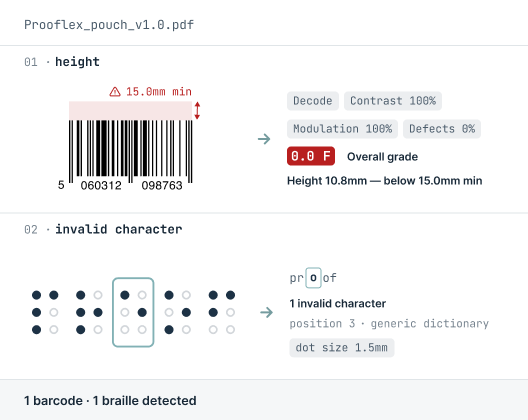
Braille & Barcode reads and grades every code and every dot against the standard, so what scans at the warehouse and reads under the fingertips is right before it ships.
SUPPORTED FORMATS:
BMP
PDF
Microsoft Word
XML
Microsoft Excel
Email
Plain Text
RTF
HTML
Adobe Illustrator
RTL Scripts
URL
PNG
JPG
How Braille & barcode Works

The comparison process step by step

Four steps from upload to signed report.

01
Upload
02
Compare
03
Review
04
Approve

Open the artwork

Start with the digital artwork or a scanned physical sample. Content Compare reads barcodes and Braille from either, so you can verify a print-ready file or a sample straight off the press.
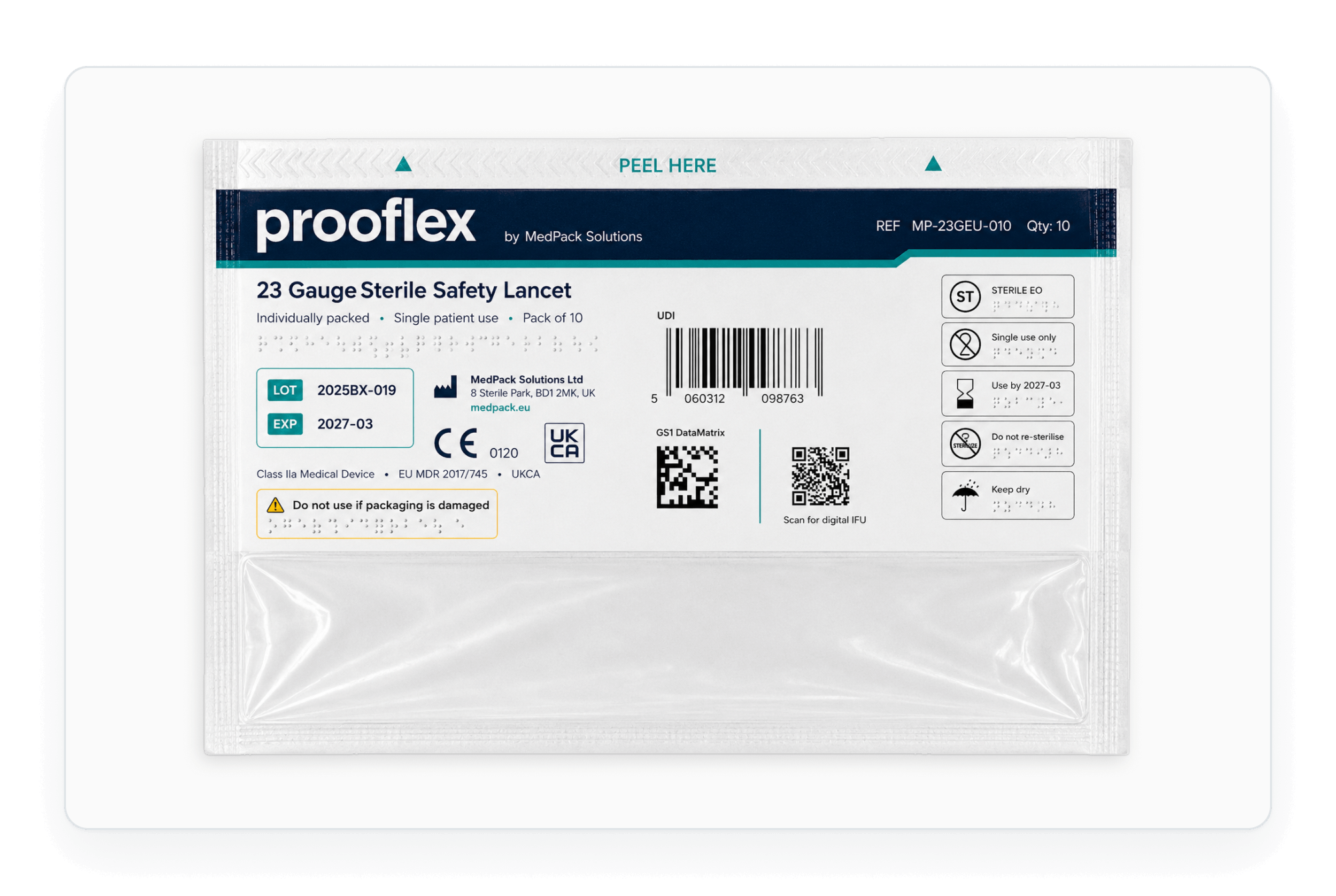
No need to mark where the codes or dots sit. The reader locates them on the page automatically.

Read the barcode

Auto-detect EAN, GS1, Data Matrix, QR and more. Get the decoded value, human-readable interpretation, an ANSI A–F grade, and measurements like quiet zone and bar width reduction.
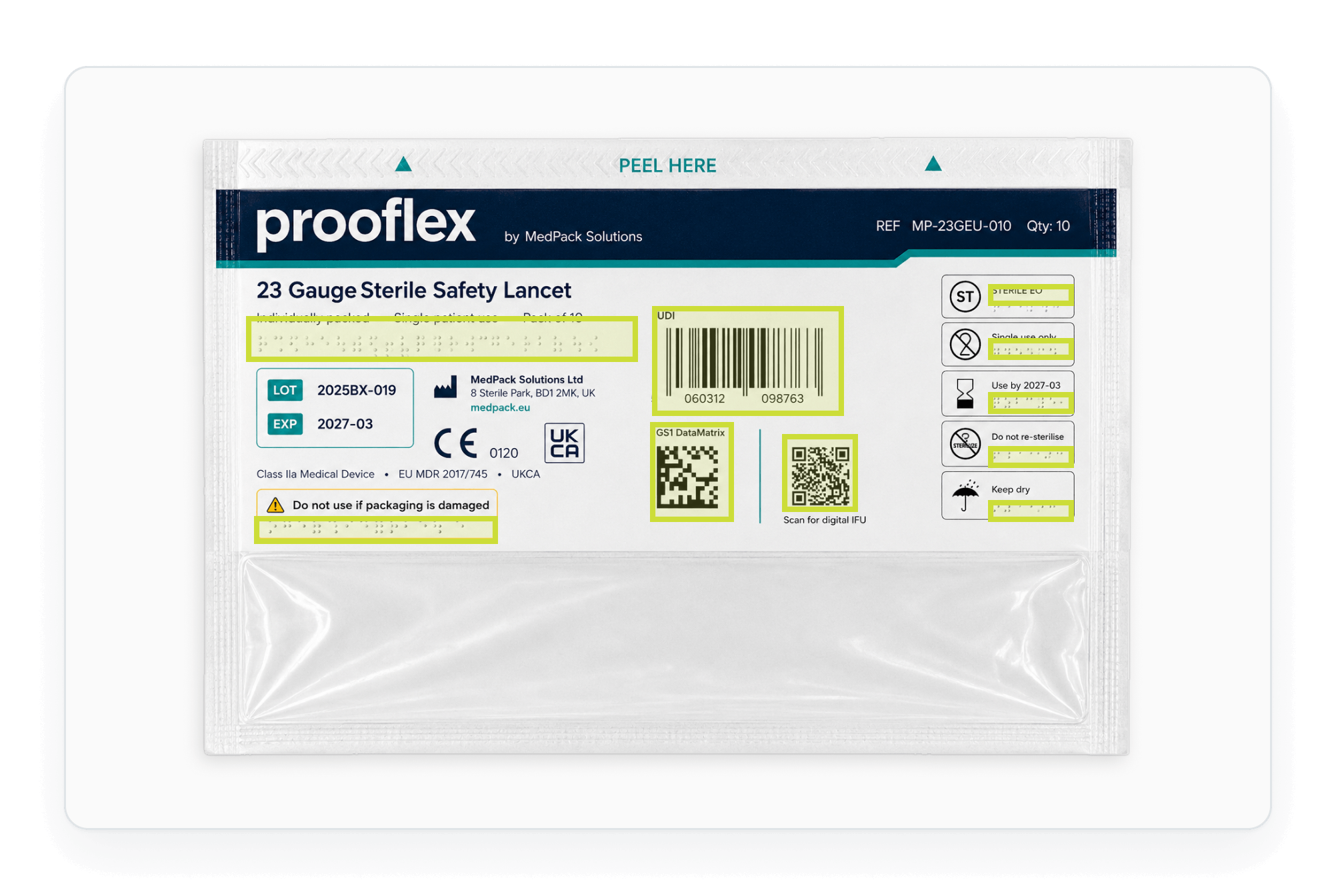
Auto-detects the symbology, so you don't tell it what to look for. Grades against the ANSI/ISO scale.

Read the Braille

Detect dots from a dedicated color channel or by manual selection, decode against 25+ language dictionaries, and verify dot size and spacing against the Marburg Medium standard.
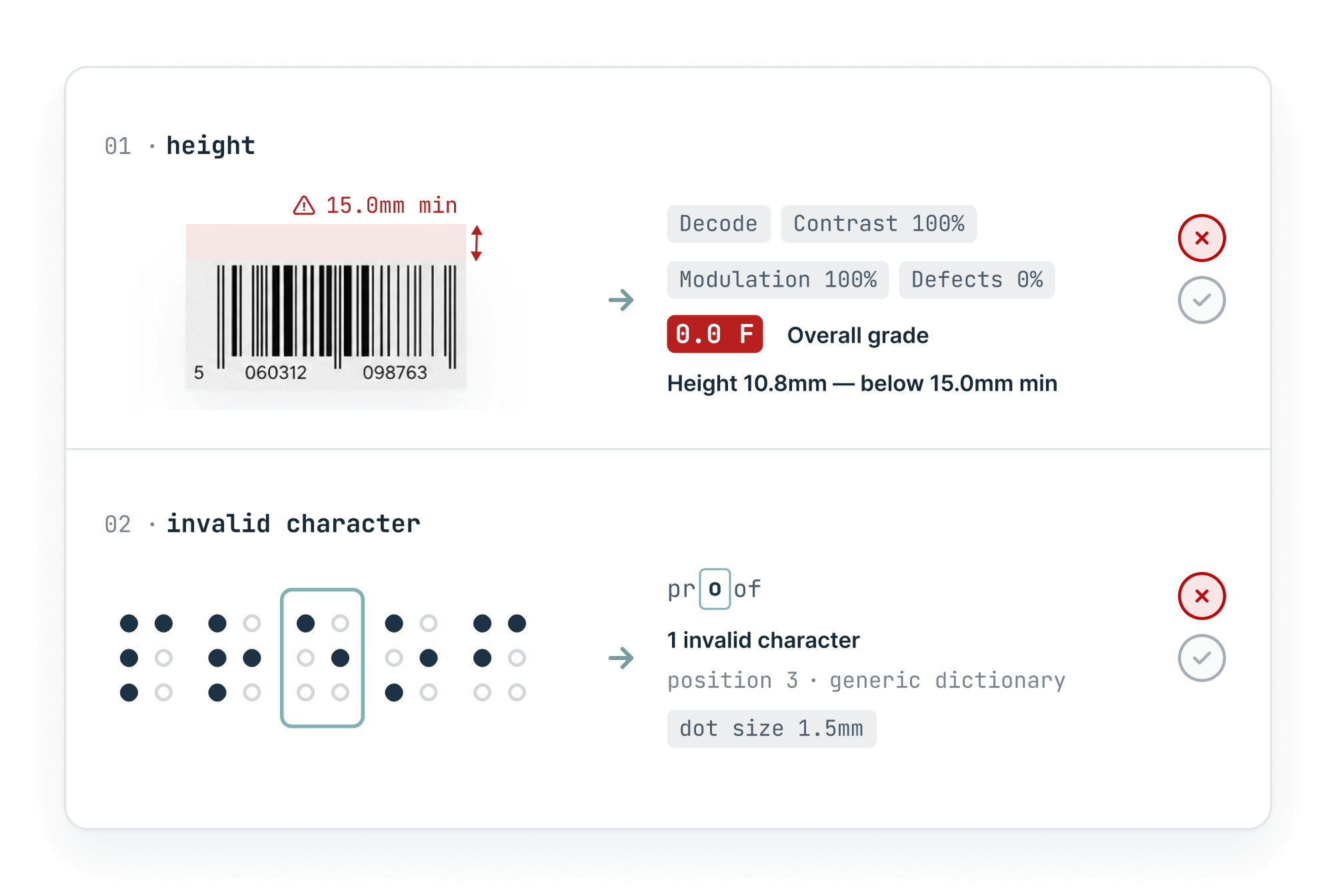
Decodes against 25+ language dictionaries and checks dot geometry, not just presence.

Capture to the report

Add the reading as its own deviation or compare it directly against a critical item, then sign and store alongside the rest of your audit trail.
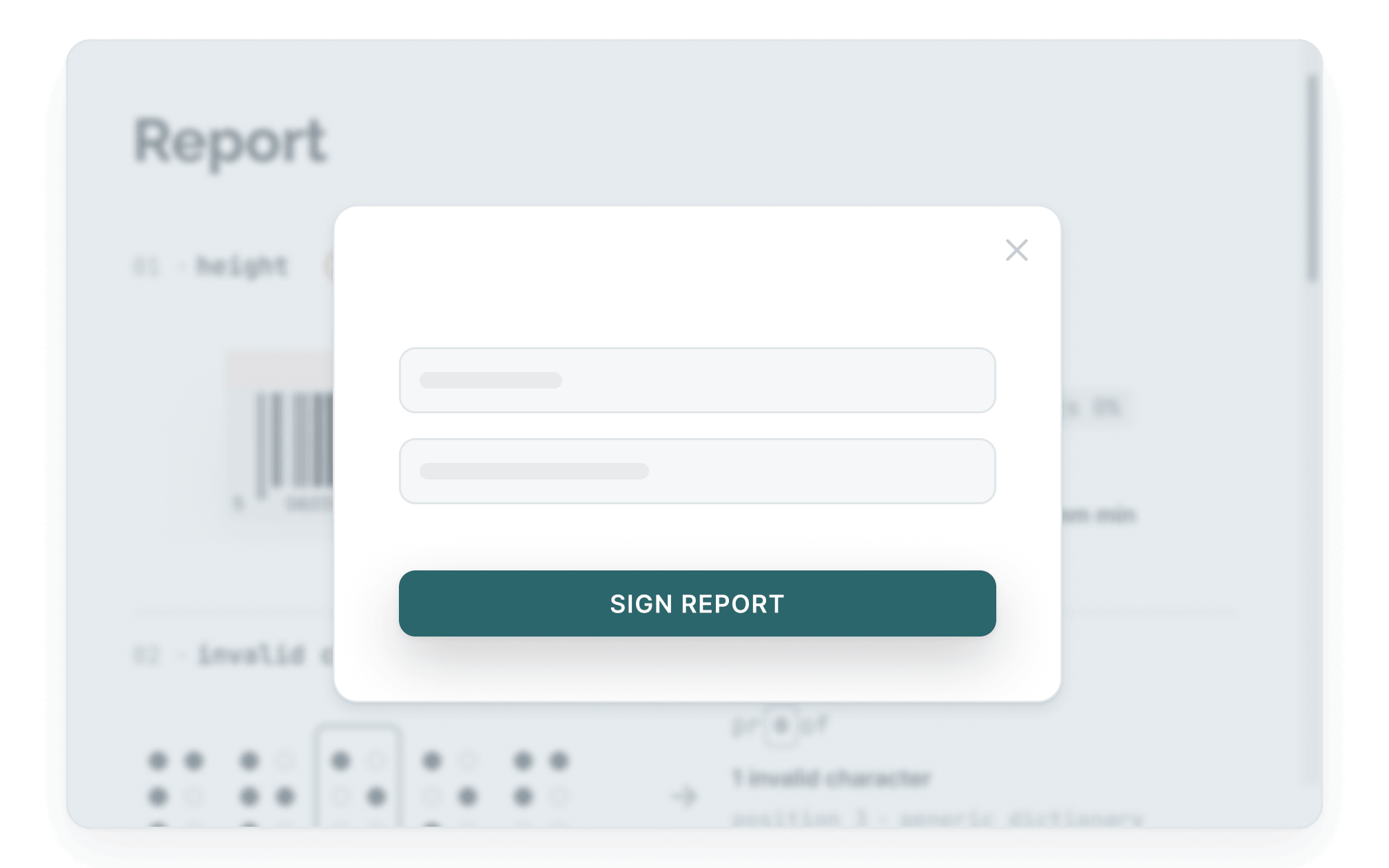
Every reading meets 21 CFR Part 11 and files alongside the rest of the audit trail.
THERE'S A BETTER WAY

See how it should work? Meet Content Compare.

Capabilities

What Braille & Barcode detects

Every barcode read and graded
EAN, GS1, Data Matrix, QR, and more, auto-detected and graded A–F to the ANSI/ISO standard.
Only what changed
The report shows real deviations, not noise, so reviewers trust what's flagged.
Braille verified to standard
Dot size and spacing checked against the Marburg Medium standard, decoded across 25+ language dictionaries.
The measurements that matter
Quiet zone, bar width reduction, and decoded value surfaced for every symbol, with human-readable interpretation.
Built into every stage
Runs as part of the same workflow as the other modules, so codes and dots are checked alongside text and artwork.
Complete audit trail
Every reading logged from scan to signed report, traceable for compliance.
Customer stories

Listen to our customers

Real teams, real deadlines, real compliance stakes. Here's how Content Compare fits into their process.

"A reliable and professional partner we can rely on"

"We have been collaborating with InformaIT for over ten years. The cooperation has consistently been smooth and effective, from software development through to post-go-live support. Having a dedicated point of contact has undoubtedly contributed to efficient, clear, and prompt communication. InformaIT is a reliable and professional partner we can confidently rely on."
Global pharmaceutical manufacturer, 10+ year customer

"Content Compare has made a real difference"

"Content Compare has made our audit preparation considerably more straightforward. The evidence is already there with each release, so we're not searching for it after the fact. The review queue gives us a clear, reliable picture of what has actually changed, and that consistency has made a real difference to how our team works."
European Regulatory Affairs Lead
EXPLORE THE MODULES

Other Content Compare modules

Content Compare is one platform with four modules. Explore the others to see how text, graphics, print, and codes are all checked in the same workflow.

compliance and security

Built for regulated industries, from the ground up

FAQ

Braille & Barcode questions

Common questions about how Braille & Barcode verifies codes and dots.

What does the Braille & Barcode module do?
Braille & Barcode reads and grades barcodes and verifies Braille against recognized standards. It auto-detects codes, grades them to the ANSI/ISO scale, and checks Braille dot size and spacing, so both machine-readability and tactile compliance are confirmed before release.
Which barcode types can it read?
Braille & Barcode auto-detects and grades common symbologies including EAN, GS1, Data Matrix, and QR codes. For each code it returns the decoded value, a human-readable interpretation, an ANSI/ISO grade, and measurements such as quiet zone and bar width reduction.
How does it verify Braille?
The module decodes Braille against more than 25 language dictionaries and checks dot geometry, including size and spacing, against the Marburg Medium standard. It verifies that the Braille is both present and correct, not simply that dots exist.
Does it grade barcodes to a recognized standard?
Yes. Braille & Barcode grades each barcode against the ANSI/ISO scale (A–F), giving an objective, audit-ready pass or fail rather than a subjective check. This supports compliance for pharmaceutical and consumer packaging.
Can Braille and barcode checks run alongside the other modules?
Yes. Braille and barcode verification runs within the same workflow as text, graphic, and hard copy checks, so codes and dots are verified as part of the same review rather than as a separate step.

Download leaflet

Fill in the form to download a PDF for the leaflet.

Download your leaflet

Fill in the form to download a PDF for the leaflet.

You're all set! Your leaflet is ready to download.
Download leaflet

Something went wrong

Fill in the form to download a PDF for the leaflet.

Oops! Something went wrong while submitting the form.